
What Is AiTM, and Why It Matters
Adversary-in-the-middle (AiTM) phishing steals Microsoft 365 sessions after MFA succeeds and gives attackers free rein over the mailbox. Here is what a real AiTM attack looked like, and how Fluency now stops it in real time.
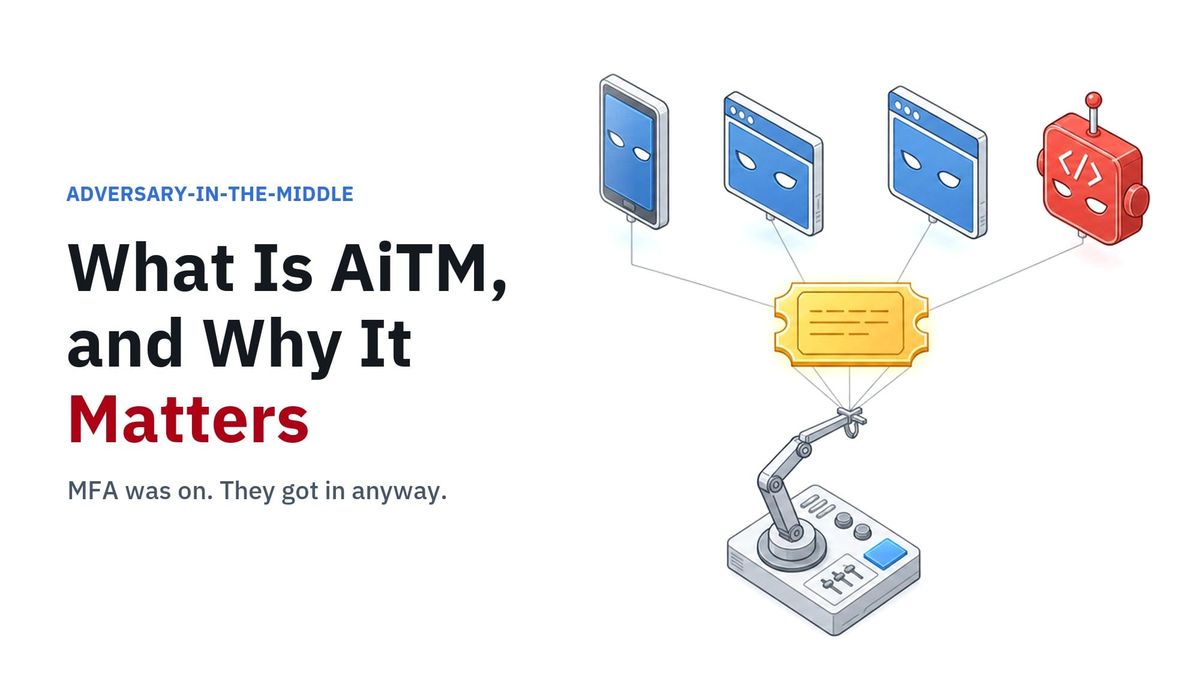
Adversary-in-the-middle phishing, or AiTM, is one of the most significant technical security problems organizations face today, and it is directly tied to business email compromise. The FBI's Internet Crime Complaint Center counted more than $3 billion in business email compromise losses in 2025, the second-largest category of loss it tracks, behind only investment fraud, in a record year of almost $21 billion.
AiTM works because it does not look like an attack. The user signs in to a real Microsoft page, completes real multifactor authentication, and lands in their normal inbox. Nothing breaks and nothing alerts. But the attacker now holds the keys to that session, and with them, free rein over the user's mailbox.
And it is not just about sending bad email from one account. As the real example later in this post shows, attackers use that access to study your organization: your systems, your people, and who does what. Then they go after the people who can send and approve invoices and direct the movement of funds. That is how one stolen session becomes business email compromise.
Fluency has an answer to this problem. But before we talk about the answer, let's talk about the problem.
What is an AiTM attack?
An AiTM attack puts the attacker in the middle of a real sign-in. The phishing kit is a reverse proxy: it sits between the user and Microsoft and relays everything in real time. The user is not looking at a fake page. They are looking at the real Microsoft page, passed through the attacker's server. They type their password. They approve the push or enter the code. Multifactor authentication succeeds, exactly as designed.
Then Microsoft hands back the thing the attacker actually came for: a session token, the key that proves this user signed in and passed MFA. The kit keeps a copy and sends the user on to their normal Office home page. The user has no reason to think anything happened.
From that moment, the attacker does not need the password or the second factor. They replay the stolen session from their own machines, and Microsoft treats them as the user. MFA was never broken. It was simply used up on the attacker's behalf.
If you would rather see it than read it, our three-minute explainer shows exactly how an AiTM attack plays out, from the fake sign-in to the stolen session.
What it looked like in a real case
We recently investigated exactly this at a large US company. It is worth walking through because nothing about it is exotic. If you want to see it in action, the full case is available two ways: as a 16-page technical paper with every log field, error code and attacker query, and, for those who prefer video, as a 20-minute technical walkthrough built for SOC analysts.
An employee was moving to a new company phone. Their authenticator app had started misbehaving, so the helpdesk did what helpdesks do every day: it added a text-message code so the user could finish setting up. The code went to the user's own personal phone, which, as it turned out, was very likely compromised. Fourteen minutes later, an attacker signed in with that user's password and that text code, from a home internet connection in another state. The session was theirs.
Then the attacker waited. Twenty-one hours.
The next morning, the stolen session came back from seventeen home internet connections across seven states and Canada. Not one of them was asked for MFA. In the first minute, a script pulled the company directory, nearly a thousand employee records. Forty minutes later it searched that directory for people in payroll, HR, finance and administration, and opened a few messages to confirm the mailbox access worked. That is the attacker mapping out who handles the money, before a single fraudulent email is sent.
The logs also told us this was a tool, not a person at a keyboard. The session signed in as one version of Firefox, made its API calls as a version about a year and a half older, frozen in place, and four seconds later used a JavaScript programming library on the very same token. One session, four browser disguises. This attack was automated and built to be repeated.
Retiring SMS will not end it
Microsoft is doing the right thing. Starting February 1, 2027, it will retire the SMS and voice sign-in it provides for Microsoft Entra ID and push organizations toward passkeys. Fewer phishable codes in circulation is good for everyone.
But look at what the attacker in our case actually used after the first fourteen minutes: not the password, and not the text message. They used the session token. A token does not care how it was earned. Push approvals and authenticator codes can be relayed by the same kits, and a token can be lifted from a compromised device without any phishing page at all. Changing how people sign in shrinks the front door. It does nothing about a session that has already been stolen and is on its way back in.
The 21-hour delay is the point
The wait was not laziness. It was technique.
Most AiTM detection, including the protection built into Microsoft's own platform, judges sign-ins one at a time and asks whether each one looks risky. To catch a replayed session, a detection has to remember a phishing sign-in from almost a day earlier and recognize the same session showing up somewhere new. Every hour the attacker waits widens that search window, and every fresh home IP address looks clean on its own. In our case, Microsoft rated the risk of every replayed sign-in as none.
Attackers study the detection that Microsoft and other vendors ship, and they have learned how to wait it out. They have not learned how to get around Fluency, because Fluency does not depend on the window they are waiting out.
An IPS for Office 365
Twenty-five years ago, Snort changed network security by inspecting every packet on the wire as it passed and stopping the bad ones before they arrived. It did not wait for a nightly report. It acted in the moment.
Fluency brings that same idea to audit logs. Our AI SOC analyzes Microsoft 365 and Entra ID activity as it streams in, against a behavioral profile of each user's history and state: their sessions, their devices, how they normally sign in, and from where. A stolen AiTM session does not fit that profile, no matter how long the attacker waits. That is what lets Fluency act as an intrusion prevention system for Office 365.
This is the Fluency AiTM Module. When a stolen session is replayed, Fluency detects it the moment it is used, not hours later. Its immediate response revokes the user's sessions and tokens within seconds, so the stolen session is already dead before the attacker can come back and use it. Most companies cannot see an AiTM attack at all. Fluency stops it in real time, and the module is available now to every Fluency customer and MSSP partner.
See it for yourself
If you have three minutes, watch the explainer of this AiTM attack. It walks through the capture, the wait, the replay and the reconnaissance, start to finish.
If you run a security team, the 20-minute SOC training goes into the weeds: every log field, error code and attacker query from the case, plus six hunts you can run in your own environment. The full 16-page technical paper has all of it in writing.
You will find both videos, the paper and the Fluency AiTM Module together on Fluency Security.
AiTM will keep feeding business email compromise as long as a stolen session buys an attacker a quiet day inside a mailbox. The way to end it is to stop treating sign-in as the finish line, and to watch what every session does next, in real time.